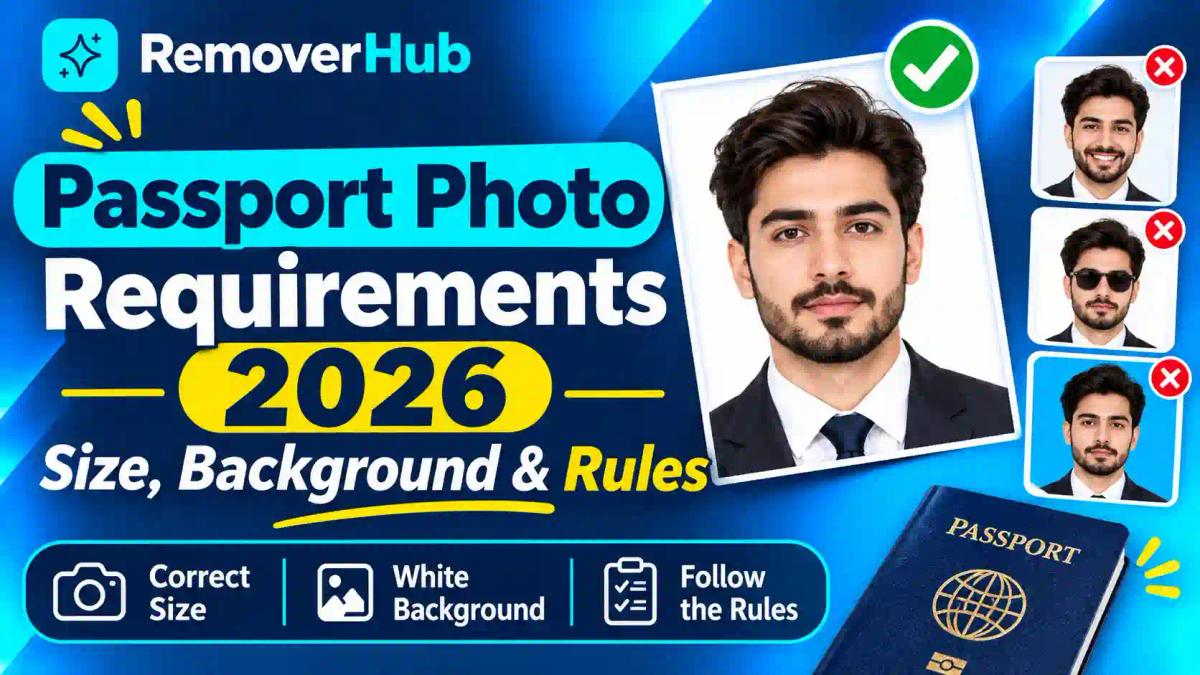
Passport Photo Requirements 2026: Size, Background & Rules
Passport photos look like a small detail until one gets rejected. A rejection can delay an application by weeks, and it usually comes down to something fixable: a shadow, the wrong size, a glare on glasses, or a photo that was edited when the rules said "unaltered."
There is no single worldwide passport photo size. Each issuing country sets its own: the US uses 2 × 2 inches (51 × 51 mm), Canada 50 × 70 mm, Australia 35–40 × 45–50 mm, and the UK 35 × 45 mm for printed photos. Almost all require a plain light background, a neutral expression, a face looking straight at the camera and an unedited photo.
Why There Is No Single Passport Photo Size
Passports are national documents, so each government writes its own photo rules. Many draw on international standards for machine-readable travel documents published by ICAO, the UN body for civil aviation, which is why the basics look similar: a front-facing, evenly lit, plain-background portrait that facial-recognition software can read. But ICAO doesn't fix one size for the world. Each country chooses its own measurements, background colours, file limits and printing rules.
That's why searching "passport photo size" often gives conflicting answers. Both sources can be right, for different countries.
Three principles hold almost everywhere:
The photo must show your face clearly. Open eyes, no shadows, nothing covering the edges of the face.
The background must be plain. Most countries want white, off-white or a light colour.
The image must be genuine. Most authorities don't want retouching, filters or software edits.
Passport Photo Requirements by Country at a Glance
This table summarizes what each official page says. Details follow below.
United States
Printed size: 2 × 2 in (51 × 51 mm)
Head or face height: 25–35 mm (chin to top of head)
Background: White or off-white
How recent: Within 6 months
Number of photos: One (paper application)
Digital specs: Not stated on the page we reviewed
Editing: No software, apps or filters
Sources: US Department of State, GOV.UK, Canada.ca and the Australian Passport Office. The UK figures come from an archived copy of GOV.UK, so confirm them on the live page.
Passport Photo Size and Dimensions
Short answer: Size depends on the country. The US uses a square 2 × 2 inch print, while Canada, Australia and the UK use rectangular portrait formats.
Converting sizes
Many people get confused moving between millimetres and inches. Here's a quick conversion for the formats above:
- US: 2 × 2 in = 51 × 51 mm.
- Canada: 50 × 70 mm is about 2 × 2¾ in. Canada's own page gives it as 2 × 2¾ inches.
- Australia and UK printed: 35 × 45 mm is about 1⅜ × 1¾ in.
A "35 × 45 mm" photo is not the same as a US "2 × 2" photo, even though both are called "passport size." Using one for the other is a common reason for rejection.
Head size matters as much as photo size
The photo can be the right size and still fail if your face is too large or too small within the frame. Each authority specifies a head or face height:
- US: 25–35 mm, chin to top of head.
- UK printed: 29–34 mm, crown to chin.
- Canada: 31–36 mm.
- Australia: 32–36 mm.
Canada's digital rules go further: from chin to crown, your face must be 45–50% of the photo's height.
A note on cropping
The UK says not to crop a digital photo, because the system crops it for you. It also says printed photos can't be cut down from a larger picture. Don't crop or resize unless your authority's instructions say to.
Passport Photo Background Rules
Short answer: Use a plain, light, evenly lit background with no shadows, texture, patterns or objects. The exact colour varies by country.
- United States: White or off-white, with no shadows, texture, lines or objects. The State Department says a white sheet can cover a non-white wall.
- United Kingdom: Cream or light grey for printed photos, and plain light-coloured for digital ones. There must be no shadows on your face or behind you.
- Canada: Plain white or light-coloured, with clear contrast against your face. Canada suggests avoiding light-coloured clothing.
- Australia: Plain white or light grey, contrasting with your face.
White vs off-white vs light grey
These aren't interchangeable everywhere. The US accepts white or off-white. Australia lists white or light grey. The UK lists cream or light grey for printed photos. Using a shade the authority doesn't list can trigger a rejection. Pick the shade named by your country.
Why backgrounds cause so many rejections
Cameras make white walls look grey when lighting is poor, and shadows from your head or shoulders can darken the backdrop. Fix both at the source: stand away from the wall and light the wall as well as your face. Our guide on removing shadows from photos explains why shadows form, but for a passport photo the fix belongs in the shoot, not in software (see the editing section below).
Facial Position, Expression and Lighting
Short answer: Face the camera squarely with your head level, eyes open, mouth closed and a neutral expression, under even light with no shadows or glare.
Position
- Look straight at the camera, with your head centred and level.
- The whole face must be visible, including the edges.
- Don't tilt your head or turn it to one side.
Expression
- Canada's page asks for a neutral expression, with a closed mouth and no smile or frown.
- Australia says smiling and subtle expressions are unacceptable for anyone over 3.
- The US page we reviewed says to keep a neutral expression and notes that smiling is allowed if the mouth stays closed. Even so, a plain, relaxed face is the safest choice.
- The UK asks for a plain expression with the mouth closed.
Lighting
Light should be even across your face. Avoid harsh overhead or side light, and avoid images that are too bright or too dim, as the US page advises. Avoid flash reflections and glare. Natural window light, facing the window, is a good starting point. If your photo comes out soft or blurry, read our guides on how to fix an out-of-focus picture and sharpen images online, but again, retake rather than retouch.
Red-eye
Red-eye isn't accepted by several authorities. Canada, Australia and the US all list it among problems. Avoid it by using soft, indirect light rather than direct flash. For non-passport photos, see our guide to removing red eye from photos.
Glasses, Head Coverings, Clothing and Makeup
Glasses
Rules differ, so check yours:
- US: Remove eyeglasses and sunglasses. A doctor's signed note is required if you can't remove them for medical reasons.
- UK: Allowed only if you must wear them, with no tinted lenses and no frames, glare or reflections covering your eyes.
- Canada: Accepted if your eyes are clearly visible and the lenses have no glare. Sunglasses and tinted lenses are not.
- Australia: Not allowed unless you cannot remove them for medical reasons. Vision impairment alone doesn't count.
Because of glare, many photographers recommend removing glasses even where they're technically allowed.
Head coverings and hijab
All four authorities allow head coverings for religious or medical reasons, with conditions:
- Your full face must be visible, from chin to forehead, with both sides showing.
- The covering must not cast shadows.
- The US page says the covering must be one solid colour with no patterns or small holes, and requires a signed statement.
- Australia says religious coverings must be plain, with no patterns.
- Canada accepts them only if worn daily for religious or medical reasons.
So yes, you can wear a hijab in a passport photo in these countries, as long as the face is fully visible. Hats and fashion headwear are generally not accepted.
Clothing
Wear what you normally wear, with two cautions. Canada suggests avoiding light-coloured clothing, since it can blend into a light backdrop. The US doesn't accept uniforms or camouflage. A black shirt isn't prohibited by the pages we reviewed, and it contrasts well with a light background.
Makeup and jewellery
The official pages we reviewed don't address everyday makeup directly. The safest approach is natural makeup that doesn't change how you normally look. Australia asks for lighting that shows your natural skin tone, and Canada says the photo must reflect natural skin tone. For jewellery, the US says it's allowed if it doesn't hide your face, and Australia says rings and studs must not reflect light. Remove wireless earbuds and headphones.
Printed vs Digital Passport Photos
Short answer: Printed photos follow paper-size, paper-quality and printing rules. Digital photos follow pixel, file-size and format rules. A country may accept one, the other, or both depending on how you apply.
Printed photos
- United States: Matte or glossy photo-quality paper. Photocopies and scanned photos aren't accepted. The print must be sharp, with no grain, pixelation or printer dots.
- Canada: Professionally printed on plain, high-quality photo paper. Home prints and heavyweight paper are rejected.
- Australia: Dye sublimation colour prints (not inkjet), on glossy paper of at least 200 gsm.
- United Kingdom: Professional quality on plain white photographic paper with no border, unaltered by software.
Home inkjet printing is a common cause of rejection in several countries. Where printing standards are strict, use a professional lab or studio.
Digital photos
- United Kingdom: At least 600 pixels wide and 750 pixels tall; between 50 KB and 10 MB; in colour; unaltered; taken within the last month.
- Canada (online renewals only): A .jpg or .jpeg saved directly from the original camera file, 3:2 aspect ratio, between 1,200 × 1,800 and 3,000 × 4,500 pixels, 200 KB–5 MB, taken in person by a commercial photographer within six months. Scans of printed photos aren't accepted.
- United States and Australia: The pages we reviewed don't spell out pixel or file-size specifications. Follow the instructions in the official application portal.
For help with image formats, see our guide to JPEG vs PNG. Some portals may require JPEG, so check before you export. If you ever need to change an image's size for non-passport purposes, our guide to resizing an image without losing quality explains the basics.
Pakistan Passport Photo Requirements
Pakistan works differently from the countries above. According to the process page of the Directorate General of Immigration and Passports (DGIP), the applicant's photograph is captured at the Regional Passport Office during processing. The page says an official captures the applicant's data, including the photograph and CNIC number, and that biometric capture covers fingerprints.
The DGIP page we reviewed doesn't list photo dimensions, background rules or restrictions on sunglasses or headwear, and it doesn't say whether applicants should bring their own photographs. So don't apply US, UK or Canadian measurements to a Pakistani application. Check the current DGIP process page or ask the office directly. The page lists a helpline (051-111-344-777) and an email (info@dgip.gov.pk) for specific photo questions.
Other Countries (India, UAE, Saudi Arabia, Germany, France and More)
We haven't verified the official photo rules for these countries for this guide, so we won't quote figures. Here's the reliable method for any country:
Find the official passport authority's website. Look for a government domain.
Locate the photo guidelines page, not a third-party summary.
Note the printed size, head height, background colour, recency window and file specs.
Check whether your application route (in person, by mail or online) has its own rules, as the Canadian digital rules do.
Re-check just before you apply, since rules change.
Editing Your Passport Photo: What Tools Can and Can't Do
This is the section most guides skip, and it's where people most often get caught.
Short answer: For government passport applications, don't edit the photo. The US, UK, Canada and Australia all prohibit alterations, so the fix for a bad background or shadow is to retake the photo.
Here's what the official pages say:
- US: "Submit the original, unedited photo." Don't use software, phone apps or filters. Photos are checked for digital enhancement.
- UK: The photo must be unaltered by computer software.
- Canada: No alterations of any kind, including software, filters or AI tools.
- Australia: Retouching isn't allowed, including removing moles, wrinkles or scars.
The Australian page also recommends professional photo providers and advises against online passport photo services and mobile apps.
So where do background and photo tools fit?
Image tools are useful for photos that aren't subject to those rules. Examples include ID photos for employers, schools or non-government platforms that permit editing, LinkedIn headshots, or practice shots while you work out lighting and framing. If a non-government form explicitly allows a background change, an AI background remover or HD background remover can produce a clean white or light backdrop. Our guides on changing a photo background, passport photo background removal and LinkedIn photo backgrounds cover those uses.
The rule to follow: read the issuing authority's rules first. If it says unaltered, don't edit. If you're unsure, retake the photo.
How to Take a Passport Photo at Home
Some authorities accept self-taken photos, while others don't. Canada requires a commercial photographer, and Australia recommends professionals. The US and UK pages describe self-taken photos in their rules. If your authority allows it, here's how to do it well.
Choose a plain light wall or hang a white sheet. The US explicitly says a white sheet can cover a non-white wall.
Face a window for soft, even light. Avoid overhead lights and flash.
Stand away from the wall so your shadow doesn't land on it.
Put the camera at eye level, on a tripod or stack of books, with a timer. Have someone else take it if possible.
Stand several feet from the camera, as the US page advises, with your head centred.
Look straight at the lens with a neutral expression, mouth closed, eyes open.
Take several shots and choose the sharpest one.
Don't apply filters or beauty modes. Turn off any automatic enhancement on your phone.
Check the file against the portal's rules for size, pixels and format before you upload.
A selfie is a bad idea. Held at arm's length, a phone camera distorts facial proportions, and the angle usually breaks the level-head rule. None of the official pages we reviewed describe selfie guidance, so use a tripod and timer instead.
If you print at home
Don't, unless your authority allows it. Canada rejects home prints, Australia requires dye sublimation printing, and the US requires sharp prints without printer dots. A professional lab is safer.
Passport Photos for Babies and Children
Children's photos are the hardest to get right, so the rules relax in a few places.
- United States: Place the child on a plain white or off-white sheet, or use a car seat covered with the sheet. No other person may appear. A baby's eyes may be partly closed. Hands, pacifiers or other objects can't block the face.
- United Kingdom: Children must be alone in the photo. Babies under one don't need open eyes and can lie on a plain light sheet, photographed from above. Children under six don't need to look directly at the camera or have a plain expression.
- Canada: The size, quality and recency rules match adults. Hands must not appear in the photo. A newborn in a car seat is allowed if a white blanket covers the seat behind the head.
- Australia: Children under three may have their mouth open. No other person or object, including a parent's hand or toy, may be visible.
Tips that work in practice:
- Take the photo right after a feed or nap.
- Use a white sheet on the floor, shoot from directly above, and keep the light soft.
- Take plenty of shots. Expect most to be unusable.
Common Passport Photo Rejection Reasons and How to Fix Them
Wrong size
Why it happens: Used another country’s format.
Fix: Check the issuing authority’s exact dimensions.
Head too big or small
Why it happens: Camera too close or too far.
Fix: Reshoot and follow the head-height range.
Shadows on face or background
Why it happens: Light from one side; subject too close to the wall.
Fix: Soften the light and move away from the wall.
Dark or patterned background
Why it happens: Wrong backdrop.
Fix: Use a plain light wall or sheet.
Glare on glasses
Why it happens: Flash or reflective lenses.
Fix: Remove glasses where allowed, then reshoot.
Smiling or open mouth
Why it happens: Habit.
Fix: Relaxed, neutral expression.
Blurry or pixelated image
Why it happens: Camera shake or low resolution.
Fix: Use a tripod and shoot at full resolution.
Edited or filtered photo
Why it happens: Beauty mode or retouching.
Fix: Reshoot with no filters.
Poor print quality
Why it happens: Home inkjet or wrong paper.
Fix: Use a professional lab.
Photo too old
Why it happens: Reused an old image.
Fix: Take a new one within the recency window.
Red-eye
Why it happens: Direct flash.
Fix: Use indirect light.
Face partly covered
Why it happens: Hair, hat or shadow.
Fix: Pull hair back and remove non-permitted headwear.
If your photo is rejected, you'll usually be asked to submit a new one, so use the rejection notice as your checklist. Don't try to "repair" a failed photo with software where editing is banned. Retake it.
Passport Photo Checklist
Run through this before you submit:
- [ ] I checked the issuing country's official rules this month.
- [ ] The size and head height match the authority's measurements.
- [ ] The background is plain and the right colour.
- [ ] My face is centred, level and fully visible, with no shadows.
- [ ] My expression is neutral, eyes open, mouth closed.
- [ ] Glasses and headwear follow the rules, with any needed statement or note.
- [ ] The photo is recent enough.
- [ ] The photo is unedited and unfiltered.
- [ ] A printed photo is on the right paper and professionally printed; a digital photo meets pixel, size and format limits.
- [ ] The number of copies is correct.
Why Choose removerhub
Photo requirements are exactly the kind of fine print that trips people up, so we think straight guidance beats hype. Why choose removerhub? Our guides state what tools can and can't do, and where a rule says "don't edit," we say so.
For photos where editing is allowed, such as profile pictures, product shots and non-government ID images, Explore Advanced removerhub for background removal, sharpening, shadow cleanup and transparent PNGs. If you'd like early access to new tools, Book a seat at Advance Free Tools offered by removerhub.
Frequently Asked Questions
What size should a passport photo be?
It depends on the country. The US uses 2 × 2 inches (51 × 51 mm), Canada 50 × 70 mm, Australia 35–40 × 45–50 mm, and the UK 35 × 45 mm for printed photos. Always check the issuing authority.
What is the standard passport photo background colour?
There is no global standard, but plain light colours are the norm. The US accepts white or off-white, Australia white or light grey, the UK cream or light grey (printed), and Canada plain white or light-coloured.
Are passport photos required to have a white background?
Not always. Some countries accept light grey or cream. Where white is listed, use white. Pick the shade your authority names.
Can I take my own passport photo with my phone?
Sometimes. The US and UK pages describe self-taken photos. Canada requires a commercial photographer, and Australia recommends professionals. Check your authority's rule first.
Are smiling faces allowed in passport photographs?
Usually a neutral expression is required. Australia says smiling is unacceptable for anyone over 3. The US page we reviewed says smiling is allowed if your mouth stays closed. A relaxed, neutral face is the safest.
Can I wear makeup in a passport photo?
The official pages we reviewed don't address everyday makeup. Keep it natural and avoid anything that changes how you normally look, since photos must reflect your natural appearance.
Are glasses permitted in passport pictures?
It varies. The US asks you to remove them, Australia disallows them without a medical reason, and the UK and Canada allow them if there's no glare and your eyes are clearly visible. Tinted lenses are not accepted.
Can I wear a hijab in a passport photo?
Yes, in the countries we reviewed, if worn for religious reasons and your full face is visible with no shadows. The US asks for a signed statement and a plain, solid-colour covering.
How many passport photos do I need?
It depends on the country and route. The US paper application asks for one, while the UK printed, Canadian printed and Australian applications ask for two.
How old can a passport photograph be?
The US, Canada and Australia say within six months. The UK says digital photos must be taken in the last month.
Can I use a digital passport photo for an application?
Sometimes. The UK accepts digital photos for online applications, and Canada accepts them for online renewals only. Follow the portal's specs.
What happens if my passport photo is rejected?
You'll typically be asked to submit a new photo, which can delay your application. Use the rejection reason to fix the problem and retake the photo.
Can I wear a black shirt for a passport photo?
The pages we reviewed don't prohibit it, and it contrasts well with a light background. Avoid uniforms or camouflage (US), and avoid light-coloured clothing (Canada's advice).
Are passport photos allowed to be edited?
Generally no. The US, UK, Canada and Australia all prohibit alterations, and Canada specifically names software, filters and AI tools.
Can I use a selfie as my passport photograph?
It's not recommended. Selfies distort facial proportions and rarely meet framing rules. The pages we reviewed don't give selfie guidance, so use a tripod and timer.
What is the correct head position for passport pictures?
Face the camera directly with your head level and centred, and your whole face visible. Don't tilt or turn.
Can babies have their eyes closed in passport photos?
In some places, yes. The US says a baby's eyes may be partly closed, and the UK says babies under one don't need open eyes. Check your authority's wording.
Do passport photographs need to be professionally printed?
In several countries, yes. Canada rejects home prints, and Australia requires dye sublimation prints on glossy paper of at least 200 gsm. The US requires sharp, high-quality prints.
What file format is accepted for digital passport photos?
Canada accepts JPEG/JPG for online renewals. For the UK, we didn't find a format requirement on the page we reviewed beyond size limits, so check the portal. See our JPEG vs PNG guide.
Why do passport authorities reject photographs?
Common reasons are wrong size, shadows, wrong background, glasses glare, smiling, poor print quality and editing. Facial-recognition systems need a consistent image to work.
Final Takeaways
- There is no worldwide passport photo size. Use the specs from your issuing authority.
- A plain light background, even lighting, a level head, a neutral expression and a recent photo are the common rules.
- Printed and digital photos have separate rules, so check which applies to your application route.
- Don't edit a passport photo for the US, UK, Canada or Australia, because their rules ban software alterations. Retake it instead.
- For Pakistan, the DGIP page says the photo is captured at the passport office, so don't assume foreign measurements apply.
Your next step: open your passport authority's photo page, write down the size, head height, background and file rules, and take your photo against that list. Then check it against the rejection table above before you submit.