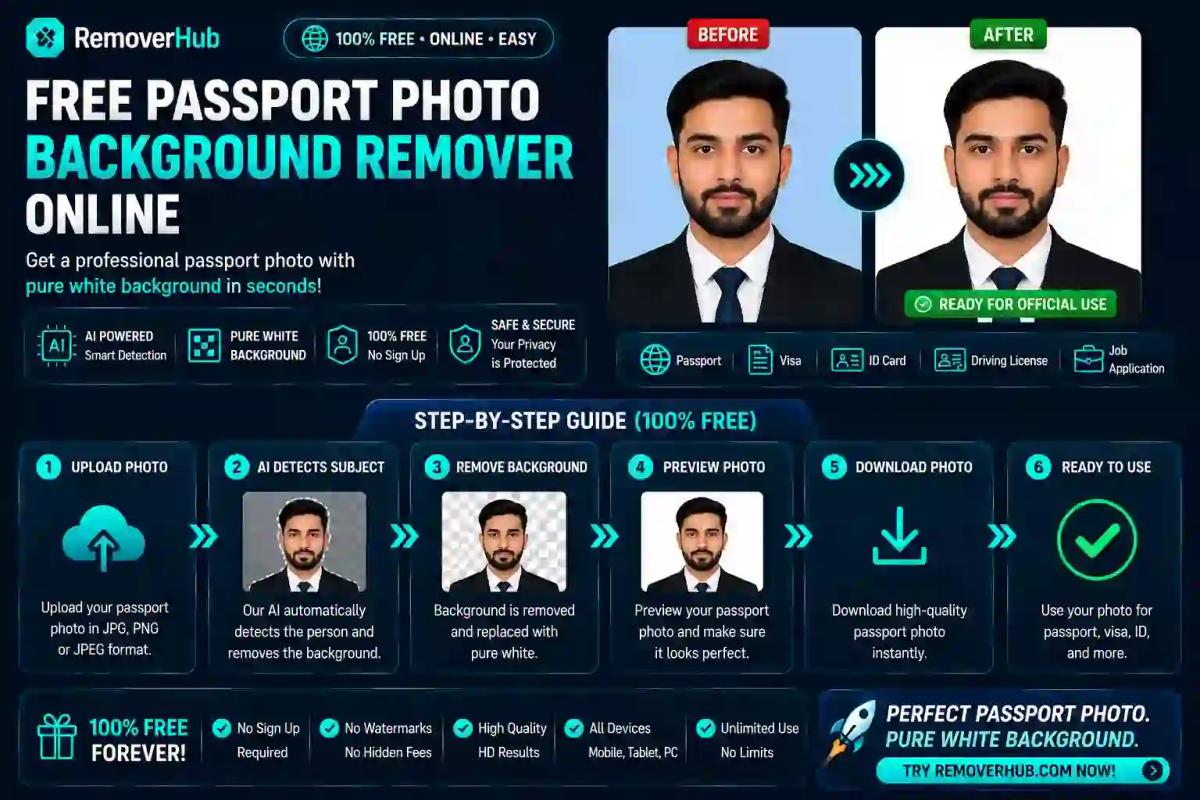
Passport Photo Background Remover: Free Guide (2026)
Before you use any AI tool to swap your passport photo background, there's one rule you need to know first: as of January 1, 2026, the U.S. State Department rejects any passport photo altered by AI, computer software, phone apps, or filters — including simple background replacement. This is a genuine, current rule, not a minor technicality, and it changes how this whole topic should be approached depending on which country's passport or visa you're applying for.
This guide walks through when AI background removal is genuinely fine to use, when it isn't, exact requirements by country, and a safe step-by-step process either way — so you don't end up with a photo that looks perfect but gets bounced back weeks into your application.
Is It Okay to Edit Your Passport Photo Background?
This depends entirely on which country you're applying to, which is why a one-size-fits-all answer here would actively mislead you.
For the United States, the answer as of 2026 is no. The State Department's official guidance explicitly prohibits altering a passport photo using computer software, phone apps, filters, or artificial intelligence — this includes background replacement, not just face-smoothing or beautification. A digitally altered photo is now detected and rejected automatically, with no grace period and no human review needed to catch it.
For most other countries — the UK, India, Canada, Australia, and Schengen visa applications — background correction (getting a plain, evenly lit backdrop of the required color) remains standard and expected practice. Many official government photo tools and photo booths do this automatically. The key distinction almost everywhere outside the US is between correcting the background (acceptable) versus altering your face (never acceptable) — but always verify against your specific country's current portal guidance, since rules do shift.
Passport Photo Requirements by Country (2026)
| Country Size Background Notes United States 2 x 2 in (51 x 51 mm), 600x600 px min Plain white or off-white AI/digital editing banned since Jan 2026; no glasses United Kingdom 35 x 45 mm, 600x750 px min Plain light grey or cream (not white) Photo must be under 1 month old India 35 x 45 mm, 630x810 px (new standard since Sept 2025) Plain white Replaced the old 51x51mm format; head fills 80–85% of frame Schengen Visa 35 x 45 mm Plain light grey Different from India's white-background passport standard Canada 50 x 70 mm Plain white or light-colored Neutral expression, no glasses glare | Size | Background | Notes |
|---|---|---|---|
| United States | 2 x 2 in (51 x 51 mm), 600x600 px min | Plain white or off-white | AI/digital editing banned since Jan 2026; no glasses |
| United Kingdom | 35 x 45 mm, 600x750 px min | Plain light grey or cream (not white) | Photo must be under 1 month old |
| India | 35 x 45 mm, 630x810 px (new standard since Sept 2025) | Plain white | Replaced the old 51x51mm format; head fills 80–85% of frame |
| Schengen Visa | 35 x 45 mm | Plain light grey | Different from India's white-background passport standard |
| Canada | 50 x 70 mm | Plain white or light-colored | Neutral expression, no glasses glare |
Notice how background color alone varies meaningfully — a photo that's technically compliant for India (white) will be rejected for a UK application (light grey/cream), and vice versa. This single detail is one of the most common causes of rejection when people reuse the same photo across multiple applications.
How to Remove a Passport Photo Background Online (Where It's Allowed)
For countries where background correction is standard practice, here's the safe process:
Take your photo against any plain background — a wall, a sheet, anything relatively uniform — with even, front-facing lighting and no shadows.
Upload the photo to a background remover tool, such as ReMoverHub's AI Background Remover, which isolates you from the original backdrop automatically.
Replace the background with your country's exact required color — white for India, light grey or cream for the UK, matching whichever specification applies to your application.
Crop to the exact required dimensions for your country (see the table above), keeping head size and positioning within the specified range.
Check lighting and shadow consistency after the background swap — a common giveaway of poor editing is a mismatch between the lighting on your face and the flat, shadowless new background.
Export at the correct resolution and file size your country's portal specifies, then do a final visual check against official examples before submitting.
If you're specifically working with product-style or ID-style photos with more complex background needs, our guide on creating a background remover for product photos covers similar isolation techniques, though passport photos have much stricter compliance rules layered on top.
What to Do Instead If You're Applying for a US Passport
Since AI or software-based editing is banned outright for US applications, the safer path is:
Set up a genuinely plain white or off-white background at home — a blank wall, a white sheet hung flat, or a professional backdrop.
Use natural, diffused lighting (a window facing you works well) to avoid shadows on both your face and the background.
Take the photo with a plain camera app, with all beauty filters, portrait mode, and automatic enhancements turned off.
Do not run the resulting photo through any editing tool — no background swap, no brightness correction, no cropping software that applies automatic enhancement.
Crop manually to 2x2 inches using basic, non-AI cropping (many photo apps offer manual, non-enhancing crop tools) if your camera doesn't produce the right dimensions natively.
Compare against the official checklist at travel.state.gov before submitting, since even minor deviations from a genuinely unedited photo can now trigger automated rejection.
This is a meaningful shift from how passport photos worked even a year or two ago, and it's worth taking seriously — resubmission after a rejected application can add real weeks to an already lengthy process.
Common Passport Photo Rejection Reasons
Beyond the background itself, these issues account for the bulk of rejected applications across most countries:
- Shadows on the background or face — usually from standing too close to a wall or using harsh overhead lighting instead of diffused, front-facing light
- Wrong background color for the specific country — using white for a UK application, or grey for an Indian one
- Incorrect head size ratio — head too small or too large relative to the frame, which varies by country (the US requires 50–69% of frame height; India requires a notably larger 80–85%)
- Glasses glare or full glasses bans — several countries, including the US since 2016, ban glasses in passport photos entirely
- Outdated photo — most countries require photos taken within a recent window (six months for the US, one month for the UK)
- Detected digital editing — increasingly flagged by automated systems even outside the US, particularly for anything resembling facial alteration or beautification rather than legitimate background correction
Before and After: What Compliant Actually Looks Like
A compliant photo shows a person facing the camera directly, with a neutral expression, even lighting across the entire face with no harsh shadows under the eyes or beside the nose, and a background that is genuinely flat and uniform — no gradient, no visible seams where a background swap has been done poorly, and no color mismatch between the edge of the hair and the background behind it.
A rejected photo typically shows one of: a shadow cast diagonally across the background from off-center lighting, a visible "halo" or fringing effect around the hair where an AI tool has imperfectly separated the subject from the original background, an off-white or slightly tinted background where pure white was required, or a head that's noticeably too close to or far from the frame edges relative to the country's specified ratio.
Can AI Tools Accurately Remove Passport Photo Backgrounds?
Modern AI background removal tools handle simple, well-lit portrait photos accurately in most cases, cleanly separating a subject from a plain backdrop without visible artifacts. The technical accuracy generally isn't the issue — the issue, as covered above, is whether the destination country permits any AI-based editing at all, regardless of how clean the result looks.
For countries that do permit background correction, look for a tool that produces flat, evenly colored output with no visible edge artifacts around hair — this is where lower-quality tools tend to struggle most, particularly with flyaway hair strands or glasses frames.
Frequently Asked Questions
How do I remove the background from a passport photo for free? Upload your photo to a free background remover tool, which isolates you from the original backdrop and lets you replace it with a plain color — but only do this if your destination country permits digital editing, since the US does not as of 2026.
What background color is required for a passport photo? It varies by country: white for the US and India, light grey or cream for the UK and most Schengen visa applications. Always check your specific country's current requirement rather than assuming white is universal.
Can I take my own passport photo and edit it online? Yes, for most countries outside the US, provided the editing is limited to background correction and cropping rather than facial alteration. For US applications, no editing of any kind is currently permitted.
What size should a passport photo be? The US uses 2x2 inches (51x51mm). Most other countries, including the UK, India (as of September 2025), and Schengen visa applications, use 35x45mm — a rectangular, not square, format.
Is it legal to edit your own passport photo background? It's not a matter of legality but of application compliance — editing that's accepted by one country's passport authority may be automatically rejected by another's, so check your specific destination's current rules before editing anything.
How do I make a passport photo online for free? Take a well-lit photo against a plain background, use a free tool to correct the background color and crop to your country's exact dimensions, then compare the result against official examples before submitting — skipping the editing step entirely for US applications.
Do passport photos need a pure white background? Only for certain countries. The US and India require white or off-white, while the UK and Schengen applications specifically require light grey or cream, not white.
How do I check if my edited passport photo will be accepted? Compare your photo carefully against your country's official published examples and specifications, checking background color, head size ratio, lighting, and — for the US specifically — confirming no digital editing has been applied at all.
Final Takeaway
The single most important thing to get right here isn't the tool you use — it's knowing whether your destination country allows background editing at all before you touch a single pixel. For most countries, correcting the background color and cropping to exact dimensions with a tool like ReMoverHub's AI Background Remover remains standard, expected practice. For US applications specifically, the safest path in 2026 is a genuinely unedited photo taken against a real plain background, since automated detection now catches AI editing before a human ever reviews the application.
Whichever country you're applying to, double-check the exact size, background color, and recency requirements against the official government source before submitting — a five-minute check now is far cheaper than a rejected application weeks into the process.
For the most current and authoritative requirements, always verify directly against your country's official passport authority — for example, the U.S. Department of State's passport photo guidelines or India's Passport Seva portal.