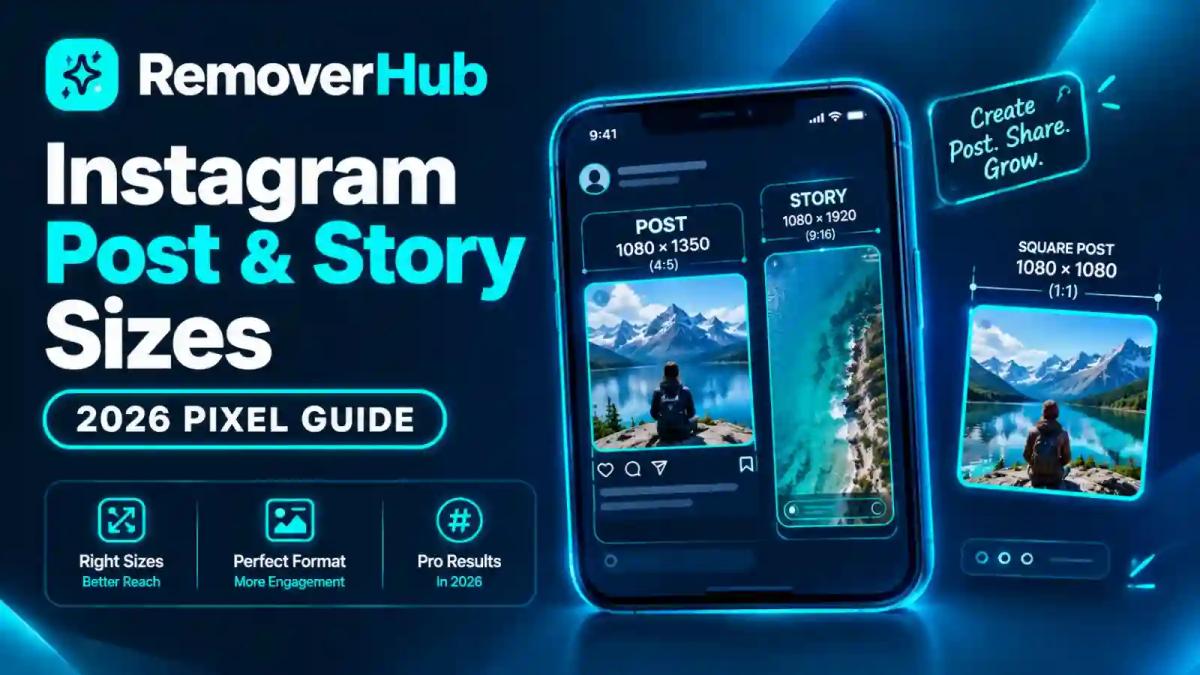
Instagram Post and Story Sizes 2026: Pixel Guide
You spend an hour on a graphic. You upload it, and Instagram chops off the headline. Or the photo looks sharp on your laptop and slightly soft on your phone. Or your profile grid suddenly looks messy because the preview shape changed.
Most of these problems come down to one thing: designing at the wrong size. The good news is that Instagram's working dimensions are simple once you see them in one place.
This guide gives you the 2026 pixel sizes for posts, Stories, Reels and carousels. It also explains the 3:4 profile grid change, safe zones, export settings and how to stop unwanted cropping.
Instagram Post and Story Sizes in 2026
| Format | Recommended size (px) | Aspect ratio |
|---|---|---|
| Square feed post | 1080 × 1080 | 1:1 |
| Portrait feed post (best all-rounder) | 1080 × 1350 | 4:5 |
| Tall portrait (grid-friendly) | 1080 × 1440 | 3:4 |
| Landscape feed post | 1080 × 566 | About 1.91:1 |
| Story | 1080 × 1920 | 9:16 |
| Reel | 1080 × 1920 | 9:16 |
| Carousel slides | 1080 × 1350 (or 1080 × 1080) | Keep every slide the same ratio |
| Profile picture | 320 × 320 minimum | 1:1 (shown as a circle) |
These are recommended working canvases, not the only sizes Instagram accepts. Instagram supports a range of aspect ratios and will accept other dimensions, but these sizes give you the cleanest result with the least cropping.
If you want one default, use 1080 × 1350 for feed posts and 1080 × 1920 for Stories and Reels.
What Is the Right Size for an Instagram Post?
The question has more than one answer, because Instagram feed posts can be square, portrait or landscape.
The Three Feed Shapes
Square (1:1): 1080 × 1080 px. Safe, simple, and works everywhere.
Portrait (4:5): 1080 × 1350 px. Takes up more screen space in the feed, so it tends to stand out.
Landscape (1.91:1): 1080 × 566 px. Wide and short, which makes it the smallest in the feed.
Many current guides, including Buffer's Instagram image size guide, treat 4:5 as the best default for most feed content because it fills more of the screen without being cropped.
Why Width Is 1080
Instagram feed images are commonly displayed at a width of 1080 pixels. Uploading a much larger image does not usually make it look sharper, because Instagram resizes and compresses it. Uploading a smaller image can look soft, because it is stretched up. That is why 1080 pixels wide is the standard working width across formats.
What About Higher Resolution Files?
You can upload larger files. Instagram generally scales them down to fit its display sizes, so the extra pixels give you little. If you want to keep a high-resolution master for other uses, export a separate 1080-wide copy for Instagram.
Instagram Story Size in Pixels
Stories use 1080 × 1920 pixels at a 9:16 aspect ratio. This fills a phone screen edge to edge.
Why 9:16
Phones are tall and narrow, and Stories are built to use the whole screen. A 9:16 canvas means no black bars and no awkward crops.
What If Your Image Is Not 9:16?
Instagram will place it on a colored or blurred background, or crop it, depending on how you upload. A square photo posted to a Story typically sits in the middle with empty space around it. If that looks unfinished, design directly at 1080 × 1920 instead.
Story Safe Zones
Instagram overlays interface elements on top of your Story. The profile name and progress bar sit at the top, and the reply box or "Send message" field sits at the bottom. If your text or logo lands under them, it can be hidden or hard to read.
A practical rule many designers use:
- Keep roughly the top 250 pixels clear of key text and logos
- Keep roughly the bottom 250 to 340 pixels clear
- Leave side margins of at least 60 to 80 pixels for text
These numbers are working guidelines, not official values. Interface elements shift between app versions, so test your design on your own phone before you publish.
Instagram Reel Size and Aspect Ratio
Reels use the same canvas as Stories: 1080 × 1920 pixels at 9:16. They are full-screen vertical videos.
Reel Video Basics
- Aspect ratio: 9:16
- Resolution: 1080 × 1920 pixels
- Format: MP4 or MOV is commonly used, with H.264 video encoding being widely supported
- Length: Instagram has extended Reel length over time, so check the current limit in the app
Instagram's technical requirements, such as file size and codec support, can change. For publishing through the API, see the Instagram Platform documentation.
Reel Cover Image Size
Your Reel cover is designed on a 1080 × 1920 canvas, but it appears in different shapes depending on where people see it. Several guides note that the profile grid shows Reels as a 3:4 crop, and the dedicated Reels tab shows the fuller vertical shape.
That means the center of the cover is what people see most reliably. Put the title and the main subject in the middle, with margins all around.
Do Feed Videos Count as Reels?
Instagram has moved toward treating most video uploads as Reels. If you post a video, expect it to follow Reel rules for display, and design it vertically.
Instagram Carousel Size
A carousel lets you post multiple images or videos in one swipeable post. Instagram has raised the maximum number of slides over time, and it reached 20 at the last check, so confirm the current limit in the app.
Recommended Carousel Dimensions
- 1080 × 1350 px (4:5) for the most vertical space
- 1080 × 1080 px (1:1) if you prefer a square look
The Golden Rule: Keep Every Slide the Same Ratio
Mixing ratios causes trouble. In many workflows, the first slide sets the shape, and later slides are cropped to match. Buffer's guide notes that some scheduling tools do not support mixed image sizes in carousels. Pick one ratio and use it for every slide.
Carousel Design Tips
- Make slide 1 a hook. It is the one everyone sees.
- Keep text away from the edges, especially if you want seamless panoramic designs where one image continues across slides.
- Number your slides or use arrows if the content is a step-by-step guide.
- Use consistent fonts and colors so the set feels like one piece.
If you are building product carousels, our guide on free product photo editing tools and the background remover for product photos can help you prepare clean, consistent images.
The 3:4 Profile Grid Change: What It Means for Your Posts
This is the biggest shift in recent years, and it catches many creators off guard.
What Changed
Instagram changed the profile grid preview from square (1:1) to a taller 3:4 rectangle. This was reported in 2025, and several 2026 guides describe it as the current behavior. The feed itself still displays posts at their own aspect ratio, up to 4:5. The change affects how thumbnails look on your profile page.
Feed Ratio vs Grid Ratio
| Where | What you see |
|---|---|
| In the feed | In the feed |
| On the profile grid | A taller 3:4 crop of the post |
| In the Reels tab | Reel covers at the fuller vertical shape |
What the Grid Crop Does to Each Shape
Here is the math, using a 3:4 grid frame that is 810 pixels wide for every 1080 pixels of height.
| Post shape | Size | What the 3:4 grid shows |
|---|---|---|
| 3:4 portrait | 1080 × 1440 | Fits the grid frame, with little or no crop |
| 4:5 portrait | 1080 × 1350 | A small trim at the edges |
| Square | 1080 × 1080 | A narrower slice (about 75% of the width) |
| Landscape | 1080 × 566 | A thin center slice, with a lot cut off |
Sources disagree on exactly which edges get trimmed for 4:5 posts. Some describe a trim at the sides, while others describe the top and bottom. The safest response is to keep key text, faces and logos in the center with generous margins on all four sides, and check your own profile preview after posting.
Which Size Should You Design For?
- 1080 × 1350 (4:5): The safest default. It fills the feed and holds up well on the grid.
- 1080 × 1440 (3:4): Best if your profile grid matters as much as your feed. Many guides note that Instagram supports this size and that it matches the grid preview.
- 1080 × 1080 (1:1): Fine, but the grid will crop the sides.
- Landscape: Use sparingly, since it shrinks in the feed and crops heavily on the grid.
Post vs Story vs Reel: What Is Different?
| Feature | Feed post | Story | Reel |
|---|---|---|---|
| Typical canvas | 1080 × 1350 | 1080 × 1920 | 1080 × 1920 |
| Ratio | 4:5 (or 1:1, 1.91:1) | 9:16 | 9:16 |
| Disappears? | No | After 24 hours (unless saved) | No |
| Interface overlays | Few | Top and bottom | Top, bottom, right side buttons |
| Grid preview | Yes, 3:4 crop | No | Yes, 3:4 crop |
Can you use the same design for posts and Stories? You can, but it rarely looks right. A 4:5 post placed on a 9:16 Story leaves empty space. A better approach is to design the post first, then rebuild it on a taller canvas for Stories with the main content centered.
Safe Zones: Where to Put Text, Faces and Logos
Safe zones protect the parts of your design that must not be hidden or cropped.
Feed Posts
- Keep key content centered
- Leave at least 5 to 10 percent margin on every edge
- Test how the design looks as a 3:4 crop for the grid
Stories
- Avoid the top and bottom bands where the profile name, progress bar and reply field appear
- Keep text inside the side margins
- Place stickers and links where they do not cover your main subject
Reels
- Keep text above the caption area and left of the right-side buttons (like, comment, share)
- Put the cover title in the middle third
- Avoid placing faces at the very top or bottom
A Simple Test
Place a checklist next to your design: "Can I read every word if the top and bottom 15% disappear and the right edge is covered by icons?" If yes, your layout is safe.
Best Export Settings for Instagram
Sizing is only half the job. Export settings affect sharpness and file size.
File Format
- JPEG: Best for photos. Small files and widely supported.
- PNG: Best for graphics, text and logos with sharp edges. Larger files.
- MP4: Standard for video.
Our JPEG vs PNG guide explains the trade-offs in plain language.
Resolution and DPI
- Pixels matter. DPI does not for screen content. A 1080 × 1350 image is the same whether labeled 72 or 300 DPI.
- Export at 1080 pixels wide for feed posts and Stories.
Color Profile
Use sRGB for the most predictable colors across phones. Other profiles may shift colors after upload.
File Size
Keep image files reasonably small. A common guideline is to stay well under 30 MB, but smaller files upload faster and are less likely to hit problems. Instagram will compress your image regardless.
Quality Setting
Export JPEG at high quality (around 80 to 90 percent). Going to 100 percent increases file size without a visible benefit, since Instagram recompresses anyway.
Honest Expectations
No export setting guarantees zero compression. Instagram recompresses uploads, and results vary with the image, the connection and the app version. Your best defense is to start with a clean, correctly sized, sharp file.
How to Stop Instagram From Cropping Your Photos
Cropping happens when your image does not match an accepted ratio, or when the grid trims a post.
Fix 1: Match a Supported Ratio Before Uploading
Resize or crop to 1:1, 4:5, 3:4 or 1.91:1 for feed posts, and 9:16 for Stories and Reels. Cropping it yourself gives you control over what gets cut.
Fix 2: Add Space Instead of Cropping
If a photo is the wrong shape and you do not want to lose content, extend the canvas. Our guide on how to expand an image with AI shows how to add extra background so a photo fits a new ratio without cutting off the subject.
Fix 3: Use Margins
Design with breathing room so a small trim does not hurt.
Fix 4: Preview the Grid
Check how your post sits on your profile after publishing. If key elements are trimmed, edit your next design with larger margins.
Fix 5: Avoid Mixed Ratios in Carousels
Use one ratio for every slide.
How to Keep Instagram Images Sharp
Blurry uploads are often caused by something other than Instagram.
Common Causes
- A small source image stretched to fit
- Double compression from saving and re-saving
- A screenshot of a design instead of the original export
- Heavy sharpening that gets amplified by compression
- A very large file that gets aggressively downscaled
Fixes That Help
Start with the original, not a screenshot or a downloaded copy.
Export at 1080 pixels wide.
If the photo is too small, enlarge it carefully. Read our guide on how to upscale an image without losing quality.
If the photo is soft, sharpen lightly. See how to sharpen images online or use the Image Sharpener.
If the blur is stronger, try the AI Blur Remover and read our guide to fixing an out-of-focus picture.
For general improvements, see how to enhance image quality.
Old family photos may benefit from our walkthrough on restoring old photos online.
Sizing for Business and Ads
Organic posts and paid placements are not the same thing.
Organic vs Paid
Instagram ads (Feed, Stories, Reels) have their own recommendations that Meta can change. For example, Stories and Reels ads generally follow the 9:16 vertical shape, but details such as text limits, safe zones and file requirements are placement-specific.
Where to Check
Always confirm ad specs in Meta's official Ads Guide and the Meta Business Help Center, rather than relying on a general size chart.
Product Images
If you sell on Instagram, clean product images matter. These guides can help:
- Make a product photo background white
- Best background color for product photos
- Background remover for Etsy and Shopify
- Amazon product image requirements
If you need a transparent logo for a branded graphic, try the Transparent Image Maker.
Design Tools and Templates
You can build correctly sized graphics in almost any editor.
| Tool | Notes |
|---|---|
| Canva | Offers Instagram post templates with preset sizes |
| Adobe Express | Social presets and resizing workflows |
| Adobe Photoshop | Full control over canvas, resampling and export |
| Figma | Good for reusable templates and design systems |
| Scheduling tools | Many show feed and grid previews before publishing |
Build a Reusable Template System
If you post often, a small template set saves hours:
Feed template: 1080 × 1350, with margin guides
Story template: 1080 × 1920, with top and bottom safe zones marked
Reel cover template: 1080 × 1920, with the center third highlighted
Carousel template: 1080 × 1350, with a consistent layout for every slide
Add guides for 10 percent margins and save the files. Next time, you open the template and start designing.
Real-World Examples
These examples are illustrative.
Example 1: The Bakery With a Messy Grid
A bakery posts square photos with text near the edges. After the grid changed to 3:4, the sides of each thumbnail were trimmed, and part of the product names disappeared. The owner switched to 1080 × 1350 with centered text and 80-pixel margins. The grid looked clean again.
Example 2: The Creator Whose Story Text Vanished
A creator placed a call-to-action at the very bottom of her Story. The reply bar covered it, so almost nobody noticed it. She moved it to about a third of the way up the screen, and engagement on that sticker improved noticeably.
Example 3: The Blurry Product Shot
A seller uploaded a 600-pixel product photo. Instagram stretched it, and it looked soft. She re-exported the original at 1080 pixels wide, lightly sharpened it, and posted again. The result was crisp on both phones and tablets.
Example 4: The Carousel With Mixed Sizes
A designer made five slides, but one was 1080 × 1080 while the others were 1080 × 1350. Instagram cropped the odd one. She rebuilt all slides at 1080 × 1350 and the problem disappeared.
What Has Changed for 2026?
Changes that matter for sizing include:
- The profile grid preview is now 3:4 instead of square, as widely reported since 2025
- Feed posts can use 4:5 and 3:4 shapes, giving you more vertical space
- Video posts increasingly appear as Reels, so vertical 9:16 video is the safest default
- Carousels allow more slides than before
Because platform details shift, treat any size chart, including this one, as a snapshot. Verify against official Instagram and Meta documentation before major campaigns.
Why Choose removerhub
Great Instagram content needs clean, sharp, correctly prepared images. removerhub offers AI-powered tools for background removal, sharpening, blur fixing, watermark cleanup and more, plus step-by-step guides like this one. Browse the full tools list or read how we handle uploads in our privacy policy.
Frequently Asked Questions
What is the Instagram post size in pixels in 2026?
The most recommended feed size is 1080 × 1350 pixels (4:5). Square posts use 1080 × 1080, landscape posts use 1080 × 566, and a 3:4 option at 1080 × 1440 suits the profile grid.
What is the Instagram Story size in pixels?
Stories use 1080 × 1920 pixels at a 9:16 aspect ratio. Keep text away from the top and bottom edges, where interface elements appear.
What is the best image size for Instagram?
For most feed posts, 1080 × 1350 pixels (4:5) is the best all-round choice because it fills more screen space and holds up on the profile grid.
What size should an Instagram Reel be?
Reels use 1080 × 1920 pixels at 9:16. Put titles and key visuals in the center so they survive the grid crop and interface overlays.
Do Stories and Reels use the same dimensions?
Yes, both use 1080 × 1920 pixels. Their safe zones differ, because Reels also have buttons and captions along the side and bottom.
What size should carousel slides be?
Use 1080 × 1350 (4:5) or 1080 × 1080 (1:1), and keep every slide the same ratio to avoid cropping.
Why does Instagram crop my photos?
Instagram crops images that do not match a supported aspect ratio, and the profile grid shows a 3:4 preview that can trim posts. Resize to a supported ratio and keep key elements centered.
Does Instagram reduce image quality?
Instagram recompresses uploads, so some quality loss is normal. Starting from a clean, correctly sized, 1080-pixel-wide file gives the best results.
Which file format is best for Instagram images?
JPEG works well for photos, and PNG suits graphics and text with sharp edges. Export in sRGB for consistent colors.
Should I use 72 DPI or 300 DPI?
For Instagram, pixel dimensions matter, not DPI. A 1080-pixel-wide image looks the same at either setting on screen.
Can I upload a square image to Instagram?
Yes. Square 1080 × 1080 posts are still supported, though the profile grid will crop the sides.
Have Instagram image dimensions changed for 2026?
The main recent change is the 3:4 profile grid preview. Feed and Story canvases remain 1080 pixels wide, but check official Instagram guidance for the latest details.
Conclusion:
Instagram sizing is simple once you remember three numbers: 1080 × 1350 for feed posts, 1080 × 1920 for Stories and Reels, and 1080 × 1440 if your profile grid matters most. Keep important content in the center, leave generous margins, and use one ratio per carousel.
Here is your quick action plan:
Save three templates (feed, Story, Reel) with safe-zone guides.
Export at 1080 pixels wide in sRGB, using JPEG for photos and PNG for graphics.
Preview your profile grid after publishing and adjust your margins if needed.
Fix soft or small images first using the Image Sharpener or our guide to upscaling images.
Check Meta's official pages before any paid campaign.
Want hands-on help? Explore Advanced removerhub tools for image cleanup and enhancement.