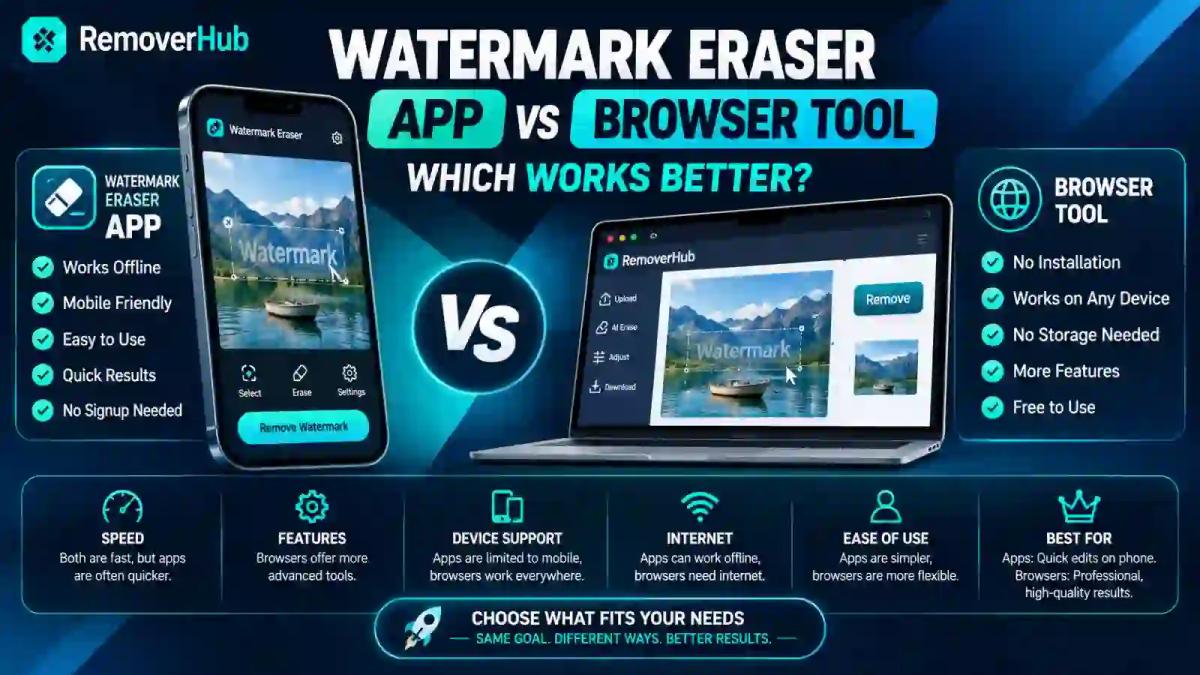
Watermark Eraser App vs Browser Tool: Which Works Better?
For occasional, one-off watermark removal, a browser-based tool wins — no download, no storage used, works on any device you happen to be using. For people removing watermarks frequently, a dedicated app can win on convenience, offering faster repeat access and sometimes offline capability. Neither format is inherently better at the actual quality of the result, though — that comes down to the underlying AI model doing the work, not whether it's delivered through an app icon or a browser tab.
This comparison genuinely depends on how you use these tools, not on which category is objectively superior. Here's the honest breakdown of speed, storage, privacy, and quality across both formats, plus a clear decision framework for your specific situation.
How Each Format Actually Works
Watermark eraser apps are native or near-native software installed directly on your phone or computer through an app store. Depending on the app, watermark removal processing might happen entirely on your device, or the app might still send your image or video to a remote server for the actual AI processing — many "apps" are really just a wrapper around the same cloud processing a browser tool uses, just packaged in installable form.
Browser-based watermark tools run entirely through your web browser, with no installation required. You visit a website, upload your file, the processing happens (typically on a remote server), and you download the result. Nothing gets permanently installed on your device.
This distinction matters more than people usually realize: a lot of "apps" aren't actually doing anything fundamentally different from a browser tool under the hood — they're often calling the same cloud-based AI processing, just through a different front-end interface. The meaningful differences between the two formats are less about processing power and more about convenience, storage, and access friction.
Head-to-Head Comparison
| Factor | Watermark Eraser App | Browser-Based Tool |
|---|---|---|
| Speed | Fast for repeat use once installed; initial download adds time | Instant access, no install wait |
| Storage Use | Takes up permanent device storage | Zero device storage used |
| Privacy/Data Handling | Requires photo library or storage permissions | Requires per-file upload, no standing access |
| Offline Capability | Sometimes available, depending on the specific app | Never — requires an internet connection |
| Convenience for Repeat Use | Higher — one tap to open, no re-navigating to a site | Lower — requires reopening browser and navigating back each time |
That last row is worth sitting with for a moment, because it's the single most common misconception in this comparison — people assume an app must produce better results simply because it feels more substantial than a website. It doesn't work that way. The actual watermark-removal algorithm is what determines output quality, and that same algorithm can be delivered through either format equally well.
Speed: Which Is Actually Faster?
For a single, occasional watermark removal, a browser tool is almost always faster in practical terms — you're already in a browser most of the time anyway, and there's no download-install-open sequence eating into your total time before you even reach the actual editing step.
For frequent, repeat use, an installed app can pull ahead, since opening an app from your home screen is typically quicker than navigating back to a specific website through a browser, especially on mobile where switching between browser tabs and remembering bookmarks adds real friction. If you're removing watermarks daily as part of a content workflow, that repeated navigation time genuinely adds up.
The actual watermark-processing time itself — the seconds the AI takes to analyze and reconstruct the image — is generally comparable between well-built apps and well-built browser tools, since both are frequently running the same or similar underlying models. Speed differences you notice are almost entirely about access and navigation, not raw processing power.
Storage: A Real Trade-Off Worth Considering
This is one of the more concrete, measurable differences between the two formats. A watermark eraser app takes up permanent storage space on your device — sometimes just a few megabytes, sometimes considerably more depending on the app's complexity and whether it bundles other editing features.
A browser tool takes up zero permanent storage. Nothing gets installed; your browser might cache some temporary data during use, but that clears automatically and doesn't accumulate the way an installed app does.
For anyone with a phone that's perpetually low on storage — a genuinely common situation — this is a meaningful, practical reason to default to browser tools for occasional tasks rather than installing yet another single-purpose app that sits mostly unused between the rare times you actually need it.
Privacy and Data Handling: Both Deserve Scrutiny
This is worth addressing honestly for both formats, since "is it safe to upload my photo" is a genuine concern regardless of which type of tool you're considering — and neither format automatically wins on privacy just by virtue of its category.
Apps typically require standing permissions — access to your photo library, storage, sometimes camera access — granted once during setup and then persisting until you manually revoke them. This means the app has ongoing access to your photos beyond just the specific file you're editing in any given session, which is a meaningfully different privacy posture than a one-time upload.
Browser tools typically require per-file uploads — you select a specific file each time, and the tool doesn't have standing access to your broader photo library or device storage beyond that single upload. Once you close the tab, that access relationship ends unless the site is specifically storing your files server-side.
Neither of these is automatically "safer" in every case — a poorly built app with excessive permissions can be worse than a well-built browser tool, and vice versa. What actually matters, regardless of format, is:
- Whether the tool processes files locally on your device or uploads them to a remote server
- Whether there's a clear, stated data retention policy — does the tool delete your files after processing, or keep them?
- Whether the connection uses HTTPS (for browser tools specifically) or comes from a verified app store listing (for apps)
- Whether the tool requests only the permissions it actually needs, rather than broad, unexplained access
For a closer look at how browser-based tools specifically handle your uploaded files behind the scenes, it's worth checking any specific tool's stated privacy practices before uploading anything sensitive, regardless of whether you're comparing an app or a website.
Offline Capability: Where Apps Can Genuinely Win
This is one area where a native app has a real, structural advantage that a browser tool simply cannot replicate: some apps can process watermark removal entirely on-device, without needing an internet connection at all, if the app bundles its own local processing model rather than relying on cloud servers.
Browser tools, by contrast, virtually always require an active internet connection, since the processing happens on a remote server and your file needs to travel there and back. If you're somewhere with unreliable or no internet access and need to remove a watermark, an offline-capable app is the only option that actually works in that scenario.
That said, it's worth noting this offline capability isn't universal across apps — plenty of "apps" are still just uploading your file to a cloud server behind the scenes, meaning they require internet access just as much as a browser tool would, despite being installed locally. Check a specific app's stated capabilities rather than assuming installation automatically means offline processing.
Quality: The Format Doesn't Determine the Result
This deserves repeating clearly, since it's the assumption most likely to lead people astray in this comparison: an app is not inherently better at removing watermarks than a browser tool, and vice versa. The quality of the final result depends entirely on the sophistication of the underlying AI model doing the actual pixel reconstruction — how well it analyzes the area around a watermark and fills it in convincingly.
A genuinely well-built browser tool using a strong AI model will consistently outperform a poorly built app using a weak or outdated model, and the reverse is equally true. When evaluating any specific watermark removal tool — app or browser — the questions worth asking are about the tool itself, not its delivery format:
- How does it handle watermarks over complex, detailed backgrounds versus simple ones?
- Does it preserve the original resolution, or does output come back compressed?
- How consistently does it perform across different watermark styles and placements?
Our own watermark remover runs entirely in-browser, and if you're curious how different tools actually perform side by side rather than just in theory, our breakdown of the best AI watermark removers, tested and ranked compares real output quality across several options.
Which Should You Choose? A Practical Decision Guide
Rather than declaring one format a flat universal winner, here's how to match the choice to your actual situation:
Choose a browser-based tool if:
- You need to remove a watermark occasionally, not as a regular routine
- You're concerned about device storage space
- You want to avoid granting standing photo library permissions to another app
- You switch between multiple devices and want consistent access without reinstalling anywhere
- You want to try a tool once before committing to anything more permanent
Choose an installed app if:
- You remove watermarks frequently enough that repeated browser navigation genuinely slows you down
- You specifically need offline processing capability for situations with unreliable internet
- You're already comfortable with the app's specific permission requests and trust the developer
- The app offers a bundled workflow (batch processing, other editing tools) that genuinely fits your regular content routine
Consider both, situationally:
- Some people reasonably use a browser tool for quick one-off edits and keep a dedicated app installed specifically for bulk or recurring work — there's no rule that says you have to pick exactly one format permanently.
Common Watermark Removal Use Cases and Which Format Fits
Removing a watermark from a single downloaded image or reel — a genuinely occasional task for most people — is a textbook case for a browser tool. Our AI Watermark Remover handles this directly without any install step, and for video-specific removal, our guide on removing the Instagram watermark from saved reels walks through that exact scenario.
Batch processing watermarks across dozens of product photos for an e-commerce catalog is a case where a dedicated workflow — whether app-based or a browser tool built specifically for batch operations — genuinely earns its place, since the repeated task volume changes the convenience calculation entirely. Our guide on batch background removal covers a closely related bulk-editing workflow if that's closer to your actual need.
Content creators editing regularly as part of a daily or weekly publishing routine often find that the marginal convenience of an installed app adds up meaningfully over dozens of repeat uses, even if any single use would have been just as fast through a browser.
Removing a watermark from a sensitive or private photo deserves the same privacy scrutiny regardless of format — check the specific tool's data handling practices rather than assuming either an app or a browser tool is automatically the safer choice by category alone.
Frequently Asked Questions
Is a watermark eraser app better than a browser-based tool? Neither is inherently better — apps offer faster repeat access and sometimes offline capability, while browser tools offer zero storage use and no permission requirements, so the better choice depends on how frequently you need the tool.
Do I need to download an app to remove a watermark? No — browser-based watermark removers handle the entire process without any installation, making them a genuinely complete option for occasional use.
Are browser-based watermark removers safe? Generally yes, provided the tool uses HTTPS, doesn't require unnecessary account creation, and has a clear policy about not retaining your uploaded files after processing.
Which is faster, an app or an online watermark eraser? For a single occasional use, a browser tool is typically faster overall since there's no install step; for frequent repeat use, an app can be faster due to quicker access from your home screen.
Do watermark eraser apps work without internet? Some do, if they bundle on-device processing rather than relying on a remote server, but many apps still require internet access despite being installed locally — check the specific app's stated capabilities.
Is it better to use an app for one-time watermark removal? No — for a single, occasional use, a browser tool is generally more practical since it avoids the storage and permission commitment of installing an app you'll rarely open again.
Do browser tools store my uploaded photos? This varies by tool — trustworthy browser-based tools state a clear deletion policy for uploaded files, so it's worth checking a specific tool's privacy practices rather than assuming.
Which gives better quality results, an app or a website? Neither format inherently produces better quality — the result depends entirely on the sophistication of the underlying AI model, which can be delivered equally well through either an app or a browser tool.
The Bottom Line
The app-versus-browser-tool question isn't really about which category is better — it's about matching the format to how often you'll actually use it. Occasional users genuinely lose nothing by sticking with a browser tool, while frequent users may find the marginal convenience of an installed app worth the storage and permissions trade-off. What should never factor into the decision is an assumption that one format produces better watermark-removal quality than the other, since that comes down to the tool's underlying model, not its delivery format.
If you need to remove a watermark right now without committing to anything permanent, our Watermark Remover handles it directly in your browser — no install, no storage used, no standing permissions granted.