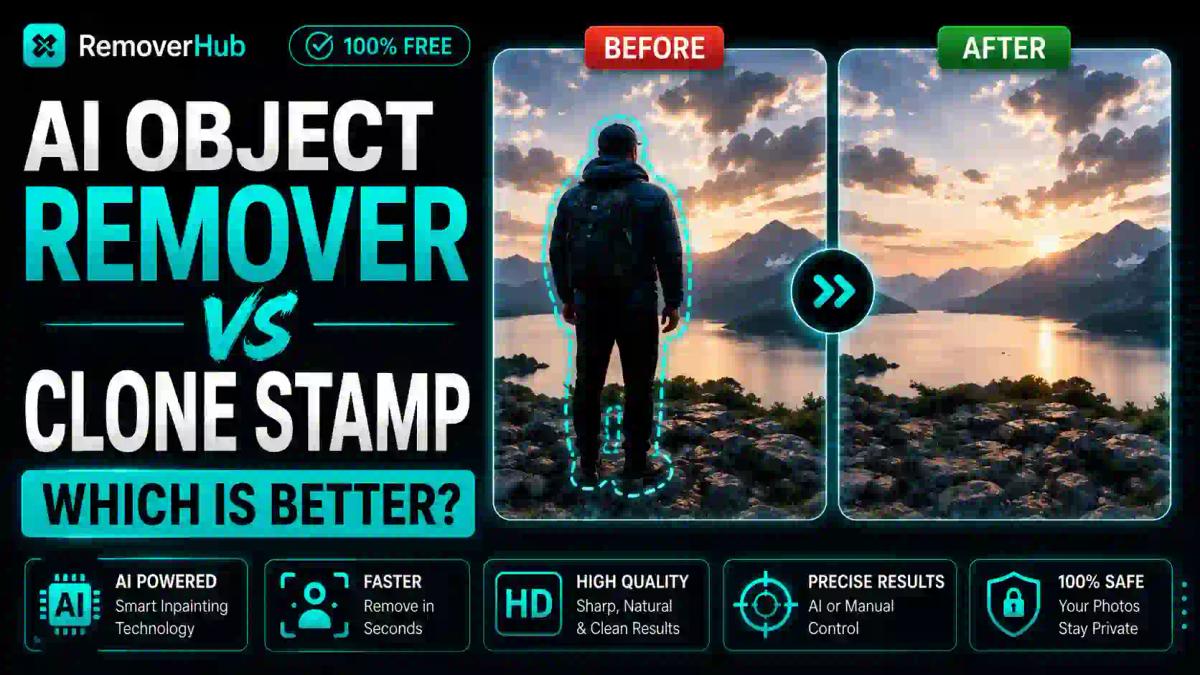
AI Object Remover vs Clone Stamp: Which Is Better? (2026)
For a simple, clean object removal — a stray trash can in a landscape shot, a photobomber at the edge of a frame — an AI object remover wins on speed almost every time, turning a several-minute manual task into a few seconds of work. But for complex removals involving intricate textures, reflections, or patterned backgrounds, Photoshop's Clone Stamp still gives you a level of manual control that AI inpainting can't always match, even if it takes longer to execute.
This isn't a case where one tool simply beats the other across the board. The honest answer depends heavily on what you're removing, how much precision the result needs, and whether you're editing one photo or fifty. Let's break down exactly where each tool wins.
How Each Tool Actually Works
Understanding the underlying mechanism explains why the speed and quality trade-offs happen the way they do.
Photoshop's Clone Stamp Tool works by manually sampling pixels from one area of an image (the "source point") and painting them over another area you want to cover. You control the brush size, opacity, and exactly which pixels get copied where, stroke by stroke. It's essentially digital pixel-by-pixel reconstruction, entirely under your manual direction.
AI object removers use a technique called inpainting — a machine learning process that analyzes the pixels surrounding the area you want removed, then automatically generates new pixel data that's statistically likely to blend seamlessly with the surrounding image. Instead of you selecting a source point and painting manually, the algorithm does that analysis and generation in one automated pass, typically in a few seconds.
The core trade-off comes directly from this difference: automation is fast but sometimes guesses wrong; manual control is slow but never guesses at all — you decide exactly what fills the gap.
Speed Comparison: Real Numbers
Here's how the two approaches actually compare in practice, based on typical removal scenarios.
| Removal Type | AI Object Remover | Clone Stamp (Manual) |
|---|---|---|
| Simple object on plain background (e.g., a can on grass) | 5–15 seconds | 1–3 minutes |
| Simple object on plain background (e.g., a can on grass) | 10–30 seconds | 3–8 minutes |
| Object over complex, patterned background (brick, fabric) | 15–45 seconds, often needs a redo pass | 5–15 minutes |
| Object near reflections or shadows | 20–60 seconds, frequently imperfect | 10–20 minutes |
| Batch removal across multiple photos | Seconds per photo, scales linearly | Not practical — each photo needs individual manual work |
The gap widens even further once batch processing enters the picture. If you're cleaning up fifty product photos with a consistent background element to remove, an AI tool that processes each one in seconds turns what would be hours of manual cloning into a task you finish before lunch.
Where AI Object Removal Genuinely Wins
Speed on simple, high-contrast removals. When the object you're removing sits against a plain or evenly textured background — sky, grass, a solid wall — AI inpainting has an easy job. There's not much pattern complexity to reconstruct, so the algorithm's guess is usually accurate on the first try.
Batch and volume work. This is where AI tools pull dramatically ahead. E-commerce sellers cleaning up product backgrounds, real estate agents removing clutter from dozens of listing photos, or social media managers processing a week's worth of content simply can't manually clone-stamp at that scale and stay productive. Our AI Object Remover is built specifically for this kind of fast, repeatable workflow.
Accessibility for non-editors. Clone Stamp has a genuine learning curve — understanding source points, brush hardness, sampling modes, and how to avoid visible repeating patterns takes practice. AI object removal generally requires nothing more than marking the area you want gone, which makes it usable by someone who's never opened Photoshop.
Zero setup time. Browser-based AI tools need no software installation, no subscription, and no learning of keyboard shortcuts. You upload, mark, and download.
Where Clone Stamp Still Wins
Complex textures and patterns. Brick walls, wood grain, fabric weave, and other repeating or irregular textures are genuinely hard for AI inpainting to reconstruct convincingly. The algorithm sometimes smears detail or creates a subtly "off" patch that a trained eye notices immediately. A skilled Clone Stamp user can sample from elsewhere in the same texture and match it precisely.
Reflections and shadows. This is arguably AI's biggest weak spot. Removing an object that casts a shadow or appears in a reflection requires understanding the physics of light in that specific scene — something AI inpainting frequently gets wrong, leaving a ghost shadow or an inconsistent reflection behind. Manual cloning lets you deliberately reconstruct both elements correctly.
Fine, high-precision control near edges. When the object you're removing sits extremely close to something you need to preserve perfectly — a person's hairline, delicate jewelry detail, fine architectural trim — manual cloning gives you pixel-level control that automated selection sometimes lacks, especially on tricky edges.
Situations demanding total predictability. Professional retouchers working on commercial or high-stakes imagery (magazine covers, ad campaigns, legal documentation) often can't afford an AI tool's occasional unpredictable output. Manual work is slower, but it's entirely deterministic — you know exactly what you'll get before you finish.
Can AI Object Removal Replace Photoshop?
Not entirely, and it's worth being honest about that rather than overselling either side. AI object removal has gotten remarkably good — modern inpainting handles the majority of everyday removal tasks convincingly, and tools have improved significantly over the past couple of years. For most casual, social media, or quick personal editing needs, AI removal is genuinely sufficient and dramatically faster.
But Photoshop's toolkit — including its own AI-assisted features like Generative Fill alongside the traditional Clone Stamp and Healing Brush — still offers a depth of manual control that pure standalone AI removers don't match. Professional photo retouchers, particularly those working on complex commercial imagery, generally use AI tools for quick first-pass cleanup and fall back to manual tools for the genuinely difficult parts of an image.
The realistic framing: AI object removal has replaced Clone Stamp for the majority of everyday use cases, but not for the hardest 10-15% of removal scenarios — complex textures, reflections, and pixel-perfect precision work near fine detail.
Does AI Object Removal Reduce Image Quality?
This depends heavily on what's being removed and how large the affected area is. For small, simple removals, quality loss is often genuinely imperceptible — the reconstructed area blends convincingly and holds up even under moderate zoom.
For larger removals, or ones involving detailed backgrounds, you can sometimes notice:
- A subtle blur or softness in the reconstructed area compared to the surrounding sharp detail
- Repeating pattern artifacts if the algorithm reused a texture sample awkwardly
- Slight color or lighting mismatches at the edge of the reconstructed zone
Clone Stamp, done well by an experienced hand, generally preserves quality more consistently because every pixel placed is deliberately chosen rather than algorithmically generated. That said, a poorly executed Clone Stamp job — visible repeating patterns from over-sampling the same source area, harsh edges from mismatched brush settings — can look considerably worse than a clean AI removal. The tool matters less than the skill and care applied with it.
Which Tool Gives Better Results on Complex Backgrounds?
Complex backgrounds are genuinely the clearest dividing line between the two approaches. On a background with irregular texture — think a forest canopy, a crowd of people, an intricately patterned rug — Clone Stamp gives you the ability to hand-pick specific source pixels that will blend naturally, because you can see and judge the pattern yourself.
AI inpainting, by contrast, has to statistically infer what belongs in that space based on surrounding pixels, and irregular, non-repeating textures are exactly where that inference is most likely to go slightly wrong. This doesn't mean AI fails outright on complex backgrounds — modern tools handle moderately complex scenes reasonably well — but the failure rate and need for manual touch-up increases noticeably as background complexity rises.
When to Use Which: A Practical Decision Guide
Rather than picking a single "winner," here's a use-case-based way to decide which tool actually fits your situation:
Use an AI object remover when:
- You're removing something from a simple, uniform, or moderately textured background
- Speed matters more than pixel-perfect precision
- You're processing multiple images and need a repeatable, fast workflow
- You're not a trained photo editor and want a tool you can use immediately
- The removal is for social media, a quick personal edit, or casual use where minor imperfections won't be scrutinized
Use Clone Stamp (or manual Photoshop tools) when:
- The removal area involves reflections, shadows, or complex lighting interactions
- The background has intricate, non-repeating texture or pattern detail
- You're working on professional, commercial, or high-stakes imagery where quality can't be compromised
- The object sits extremely close to fine detail you need to preserve precisely
- You already have Photoshop skills and the extra time investment is worth the control
Use both, in sequence, when:
- You're doing volume work but a handful of images need extra precision — run everything through AI first, then manually touch up the few that need it
- You want a fast first pass that gets you 90% of the way, followed by targeted manual cleanup on problem areas
This hybrid approach is genuinely how a lot of working photo editors operate today — AI handles the bulk of routine cleanup, and manual tools step in specifically where automation falls short.
Real-World Use Case Breakdown
E-commerce product photography: Removing dust, fingerprints, or minor background clutter from product shots is a textbook case for AI speed — the backgrounds are usually simple, and volume matters. Our background remover for product photos is built for exactly this kind of high-volume, straightforward cleanup.
Real estate photography: Removing a car from a driveway or clutter from a room generally works well with AI object removal, since most residential scenes have relatively simple, predictable backgrounds. Complex reflections in windows or mirrors are the exception where manual touch-up may still be needed.
Portrait and event photography: Removing a stray person from a wedding photo background is one of AI's strongest use cases when the background is simple, but becomes trickier when the person overlaps complex elements like foliage or architectural detail. Our AI Person Remover handles the straightforward version of this task directly.
Professional commercial and editorial work: This is where Clone Stamp and Photoshop's broader toolkit still hold their ground, particularly for imagery that will be scrutinized closely or printed at large scale.
A Quick Word on Text and Logo Removal
It's worth noting that object removal and text/logo removal, while related, aren't quite the same task — text and logos often have hard, clean edges against a simpler background, which tends to make them genuinely well-suited to fast AI removal in most cases. If that's specifically what you're dealing with rather than a physical object, our AI Text Remover and Logo Remover are built for that narrower, generally faster use case.
Frequently Asked Questions
Is AI object removal faster than using Clone Stamp in Photoshop? Yes, for the vast majority of simple to moderately complex removals — AI tools typically complete in seconds what manual Clone Stamp work takes several minutes to finish, though the gap narrows on genuinely complex textures or lighting.
What is the Clone Stamp tool used for? Clone Stamp is a manual Photoshop tool that copies pixels from one area of an image to another, giving the user precise, hand-controlled reconstruction of backgrounds, textures, and details when removing unwanted elements.
Can AI object removers fully replace Photoshop? Not entirely — AI object removal handles most everyday, simple-to-moderate removal tasks well and much faster, but Photoshop's manual tools still provide better control for complex textures, reflections, shadows, and high-precision professional work.
Does AI object removal reduce image quality? It can, particularly on larger or more complex removals, where the reconstructed area may show subtle blurring or pattern mismatches; small, simple removals on plain backgrounds usually show no noticeable quality loss.
Is the Clone Stamp tool hard to learn? It has a genuine learning curve — understanding source points, brush settings, and pattern-matching technique takes practice, whereas AI object removal tools typically require just marking an area and letting the algorithm process it.
What's the difference between content-aware fill and AI object removal? Content-aware fill is Photoshop's own semi-automated inpainting feature, conceptually similar to standalone AI object removers, though dedicated AI removal tools are often faster to access since they don't require opening full editing software.
Which tool gives better results on complex backgrounds? Clone Stamp generally performs better on complex, irregular, or patterned backgrounds because a skilled user can hand-select accurate source pixels, while AI inpainting is more prone to visible artifacts as background complexity increases.
Do professional photographers still use Clone Stamp? Yes, particularly for commercial, editorial, or high-stakes imagery where precision matters — many professionals use AI tools for quick first-pass cleanup and reserve manual Clone Stamp work for the details automation doesn't handle well.
The Bottom Line
There's no single winner here, and treating it as a flat "AI vs. Photoshop" contest misses the more useful answer: AI object removal wins decisively on speed for simple and moderate removals, and Clone Stamp wins on precision for complex, high-stakes work. The smartest workflow for most people genuinely combines both — lean on AI for the fast, routine cleanup, and keep manual tools in reserve for the handful of images where automation isn't quite good enough.
If your next task is a straightforward object removal — a stray item, a photobomber, background clutter — try our AI Object Remover first and see how far it gets you in seconds rather than minutes. For the images that need more precision than automation can deliver, that's exactly when it's worth opening Photoshop and picking up the Clone Stamp yourself.